10 Smart Home Products That Make Everyday Life Easier
A busy home can keep you moving all day without giving you anything particularly memorable to show for it. You turn off lights, check the front door, clean crumbs from the floor, adjust the temperature, keep an eye on appliances, and occasionally wonder whether that tiny drip under the sink has become something you should worry about.
None of these jobs is especially difficult. The problem is that they keep coming back.
That is where smart home products can earn their place. The idea is not to turn your house into a science-fiction showroom where every object needs an app. It is much simpler than that: use technology where it can take care of a repetitive task, give you useful information, or make something you already do a little easier.
Some devices can automate cleaning. Others can schedule lighting, control compatible appliances, monitor your front entrance, manage temperature, or alert you to water where it should not be. The trick is choosing products that solve genuine household problems rather than buying gadgets simply because they happen to be connected.
Below are 10 smart home devices that can make everyday routines easier, along with the features, limitations, and practical details worth considering before bringing them into your home.
10 Smart Home Devices
Product | Main Use | Best For | Important Feature |
Managing home entry | Flexible access | Multiple access options | |
Automated floor cleaning | Routine cleaning | Navigation | |
Controlling compatible appliances | Simple automation | Electrical compatibility | |
Managing lighting | Lighting routines | Scheduling | |
Monitoring the entrance | Visitor awareness | Motion alerts | |
Managing temperature | Scheduled comfort | HVAC compatibility | |
Managing indoor air | Regularly used rooms | Appropriate room capacity | |
Detecting unwanted moisture | Plumbing risk areas | Reliable alerts | |
Detecting smoke and CO | Home safety | Proper placement and testing | |
Video monitoring | Indoor or outdoor awareness | Privacy and storage controls |
Table of Contents
1. Smart Door Lock
What Is a Smart Door Lock?
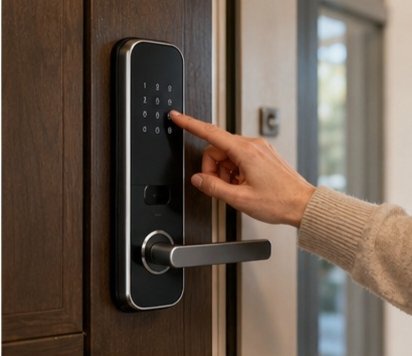
A smart door lock is an electronic locking system that gives you additional ways to lock and unlock a door. Depending on the design, it may use a keypad, smartphone, fingerprint recognition, Bluetooth, or another supported access method alongside or instead of a conventional key.
The main attraction is flexibility. Instead of everyone needing to carry a physical key, different household members may be able to use their own access method. Some systems can also let you create temporary or scheduled access for trusted visitors.
How It Makes Everyday Life Easier?
Think about coming home with shopping bags in both hands. Searching for a key suddenly feels like a surprisingly difficult task. A compatible smart lock can make entry easier by allowing you to use another approved method.
Remote status checking can also be convenient when supported. If you are sitting at work and suddenly wonder whether you remembered to lock the door, you may be able to check through the associated app rather than relying on memory.
Features to Look For
When comparing smart locks, consider:
- Multiple access methods
- Manual backup entry
- Battery-life information
- Temporary or scheduled access
- App compatibility
- Lock-status notifications
- Compatibility with your existing door
- Easy-to-understand controls
The most important feature may actually be compatibility with your door hardware. A sophisticated lock is of little use if installing it requires replacing components you did not expect to replace.
Things to Consider Before Buying
Connectivity can vary. Some functions may work through Bluetooth, while remote access may require Wi-Fi or a separate hub. Read the requirements carefully rather than assuming every feature works without an internet connection.
Also think about what happens if the batteries run low, your phone is unavailable, or the network goes offline. A sensible backup entry method can prevent a convenient device from becoming an unexpected inconvenience.
View Product: Check today’s price on Amazon
2. Robot Vacuum Cleaner
What Does a Robot Vacuum Cleaner Do?
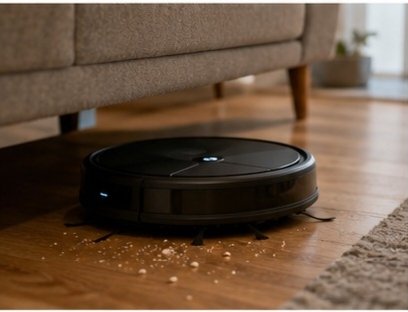
A robot vacuum cleaner is designed to clean floors with limited hands-on involvement. It moves around suitable floor surfaces, collects everyday dust and debris, and uses sensors or navigation technology to move through the available space.
You still need to empty and maintain it, but you do not necessarily have to push a vacuum around the room every time the floor needs a quick clean.
How Automated Cleaning Works?
Depending on the design, a robot vacuum may use sensors, mapping technology, obstacle detection, or other navigation methods to move around furniture and identify areas that need cleaning. Some can follow schedules, allowing cleaning to happen at a chosen time.
That scheduling capability is where automation becomes practical. Instead of noticing crumbs on the kitchen floor and adding another chore to your mental list, you can arrange for routine cleaning to happen according to your household’s schedule.
Where It Is Most Useful?
Robot vacuums can be especially useful on open floors where there is enough room for them to move around. Kitchens, hallways, living rooms, and bedrooms may all be suitable depending on the floor type and the device’s capabilities.
Homes with pets can also find frequent automated cleaning convenient because hair and small pieces of debris can accumulate quickly. However, you should check the product’s instructions for the surfaces and conditions it supports.
Features Worth Considering
Look for features that match your actual home rather than simply choosing the longest list of specifications.
Useful considerations include:
- Navigation and obstacle detection
- Scheduling
- Battery capacity
- Suitable floor types
- Dustbin size
- Filter design
- App controls, if wanted
- Noise level
- Ability to return to a charging point
View Product: Check today’s price on Amazon
A large home may have different needs from a small apartment. Likewise, a house with rugs, thresholds, furniture, and lots of cables may require more capable navigation than a mostly open floor plan.
Maintenance Tips
A robot vacuum is automated, not maintenance-free. Hair can collect around brushes, filters can become dirty, sensors can gather dust, and the dustbin eventually needs attention.
Before buying, consider how easy those jobs are to perform. If removing and cleaning the brush feels like a project every week, the convenience may become less impressive over time.
3. Smart Plug
What Is a Smart Plug?
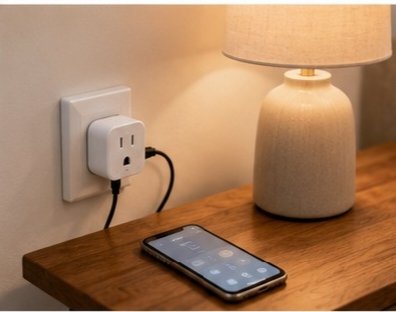
A smart plug is a compact connected device that sits between a wall outlet and a compatible appliance. It can give you remote control or scheduling for certain ordinary plug-in devices without requiring you to replace the appliance itself.
That makes smart plugs one of the simplest smart products for home because you can introduce a small amount of automation without changing your entire setup.
Everyday Ways to Use It
A lamp is an easy example. Instead of switching it on and off manually every day, you may be able to schedule it to operate at particular times.
Depending on the appliance and smart plug, other suitable uses might include fans, decorative lighting, or certain small household devices. The important word is suitable because not every appliance should be controlled in this way.
Scheduling and Remote Control
Scheduling can be useful when you have repetitive routines. A light can follow a regular timetable, or a compatible appliance can be switched on or off through an app when you are away.
Remote control can also be convenient when you are already comfortable in bed and realize that a connected lamp is still switched on downstairs. Instead of getting up, you can use the supported control method.
That sounds like a small benefit—and it is. But smart-home convenience often works exactly this way. A collection of tiny improvements can reduce the number of repetitive decisions you make during a day.
Features to Look For
Consider:
- Appropriate electrical rating
- Wi-Fi or other connectivity requirements
- Scheduling
- Remote control
- Physical on/off control
- Compact size
- App compatibility
- Power monitoring, if genuinely useful to you
View Product: Check today’s price on Amazon
A simple smart plug that does exactly what you need may be more useful than a complicated one filled with functions you never touch.
4. Smart Light Bulbs
What Can Smart Light Bulbs Do?
Smart light bulbs bring digital controls to ordinary home lighting. Depending on the type, you may be able to adjust brightness, schedule operation, change color temperature, or control the bulb through an app or compatible smart-home system.
The advantage is not that you suddenly need dozens of lighting settings. The advantage is that everyday lighting can become easier to control.
Everyday Uses Around the Home
Imagine waking up early and wanting softer lighting rather than the full brightness of a ceiling fixture. Or picture arriving home in the evening and having selected lights already scheduled to turn on.
Smart bulbs can be useful in bedrooms, living rooms, hallways, home offices, and other spaces where lighting routines matter. You might also use them to switch off several compatible lights from one place instead of walking through the entire house.
Scheduling and Lighting Routines
Scheduling is one of the simplest features to appreciate. You can establish routines around your normal day rather than remembering to switch individual lights manually.
For example, hallway lighting might operate during particular evening hours, while bedroom lighting follows a different schedule. The point is not to automate every bulb; it is to automate the ones where doing so genuinely makes sense.
Compatibility and Installation
Start with the basics: socket type, brightness, bulb size, and whether the bulb works with your existing fixture. Then check connectivity.
Some smart bulbs may use Wi-Fi, while others may rely on Bluetooth, a hub, or another communication system. If you already have smart home technology at home, compatibility should be checked before purchasing.

View Product: Check today’s price on Amazon
5. Video Doorbell
What Is a Video Doorbell?
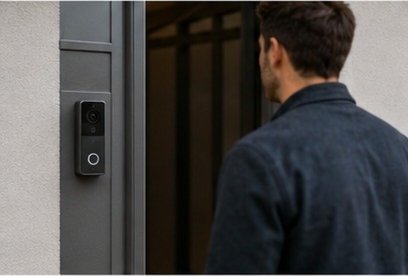
A video doorbell combines a doorbell with a camera, allowing you to see activity around an entrance through a connected device. Depending on the system, you may also receive motion notifications and communicate with visitors using two-way audio.
It is essentially a way of adding another layer of awareness to the front door without needing to stand beside it.
Monitoring Visitors and Deliveries
One practical advantage is knowing who is outside before opening the door. If you are working in another room, preparing dinner, or simply unable to get to the entrance immediately, a notification can tell you that someone has arrived.
The camera can also help you recognize whether the activity at the entrance is a visitor, delivery, or simply movement that triggered the sensor.
Two-Way Communication
Two-way audio can make the device more useful. If someone arrives while you are occupied, you may be able to speak to them through the connected system instead of immediately going to the door.
This can be helpful for ordinary situations, such as communicating with a delivery person or telling a visitor that you will be there shortly.
Features to Consider
Look for:
- Clear video
- Night visibility
- Motion detection
- Adjustable activity zones
- Two-way audio
- Suitable outdoor protection
- Reliable notifications
- Local or cloud storage options
- Privacy controls
View Product: Check today’s price on Amazon
The best feature set depends on your entrance, your neighborhood, and how much monitoring you actually want.
6. Smart Thermostat
How Does a Smart Thermostat Work?
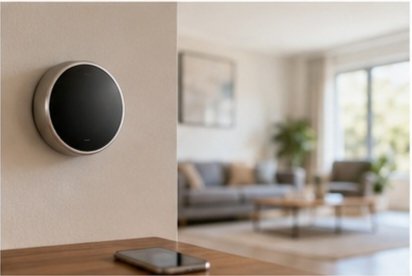
A smart thermostat manages your home’s heating or cooling settings while adding features such as scheduling, remote control, or automatic adjustments. Instead of manually changing the temperature every time your routine changes, you can create settings that fit your normal schedule.
That can make temperature management less noticeable because the system follows a plan instead of relying on constant manual input.
Scheduling and Automatic Adjustments
Scheduling is useful when your household follows predictable patterns. You might prefer different temperature settings during sleeping hours, working hours, and periods when everyone is away.
Some systems may also use sensors or other information to adjust operation automatically. The exact capabilities vary, so check what the device actually supports rather than assuming every smart thermostat behaves the same way.
Everyday Convenience
The biggest benefit is often simple convenience. If you regularly change the temperature at particular times, having those adjustments happen automatically can remove another small task from your routine.
Remote control can also be helpful if you want to check or adjust the system while away, provided the thermostat supports that function and has the necessary connectivity.
Features to Look For
Useful features can include:
- Flexible scheduling
- Remote access
- Simple controls
- Temperature sensors
- Automatic adjustments
- Clear temperature displays
- Compatibility with your HVAC system
- Suitable smart-home integration
View Product: Check today’s price on Amazon
A thermostat should be easy for everyone in the household to understand. If basic temperature changes require a complicated series of steps, the smart features are not doing much for everyday convenience.
7. Smart Air Purifier
What Does a Smart Air Purifier Do?
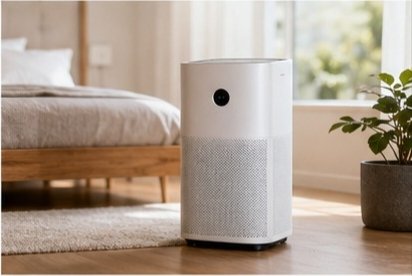
A smart air purifier is an air purifier that adds connected controls, sensors, automatic modes, or app-based monitoring. Its primary purpose remains filtering or cleaning indoor air according to the technology used by the particular device.
The smart component can make operation easier by allowing you to monitor or control the appliance without constantly adjusting it manually.
Managing Indoor Air Quality
Some connected purifiers can monitor certain aspects of indoor air and adjust operation automatically when supported. That can be useful if you want the appliance to operate according to changing conditions rather than following one fixed setting.
However, avoid treating smart air-quality readings as a complete picture of everything happening indoors. Sensor capabilities differ between devices, and readings should be understood in the context of the specific technology being used.
Choosing the Right Room Size
Room size matters. A purifier designed for a small bedroom may not be appropriate for a large open living area.
Before buying, check the manufacturer’s guidance about the intended room size and operating capacity. Consider the actual space where you plan to use it rather than assuming one purifier will work equally well throughout an entire house.
Features Worth Considering
Consider:
- Suitable room capacity
- Filter type
- Automatic mode
- Air-quality monitoring
- Noise level
- Scheduling
- App controls
- Filter-change notifications
- Easy-to-understand controls
View Product: Check today’s price on Amazon
The smart features should support the basic job of the purifier rather than distract from it.
Filter and Maintenance Needs
Filters need attention. Depending on the design, they may require cleaning or replacement according to a particular schedule or usage condition.
Before purchasing, find out what maintenance is required and whether replacement filters are easy to obtain. A device that is simple to maintain is more likely to remain useful over time.
8. Smart Leak Detector
What Is a Smart Leak Detector?
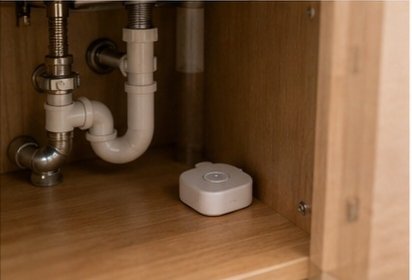
A smart leak detector is a small sensor designed to detect unwanted water or moisture in locations where a leak might develop. Depending on the system, it can produce a local alarm, send a notification, or both.
It does not stop a leak by itself. Its value is in helping you notice a possible water problem earlier.
Where Should You Place One?
Placement is one of the most important parts of using a leak detector effectively. Good locations may include under sinks, near washing machines, around dishwashers, near water heaters, or beside plumbing connections where water could collect.
The sensor needs to be positioned where moisture is likely to reach it. Putting it several feet away from a vulnerable connection may reduce its usefulness.
Why Early Alerts Can Be Useful?
Imagine a small pipe connection beginning to leak while everyone is sleeping. Without a sensor, you might not notice until you see water, hear dripping, or discover damage.
A connected detector can potentially alert you when moisture reaches the sensor. That does not guarantee that damage will be avoided, but it can give you information sooner so you can investigate the problem.
Common Places to Use It
Under-sink cabinets are particularly practical locations because plumbing connections are often hidden from immediate view. Laundry areas, kitchens, bathrooms, utility spaces, and areas around water-using appliances may also deserve consideration.
If your home has several possible leak points, you may find it more useful to prioritize locations based on where water could cause the most trouble.
Check how the detector is powered and how it communicates. Battery-powered sensors need periodic battery checks, while connected systems may require Wi-Fi, Bluetooth, or a hub.
View Product: Check today’s price on Amazon
9. Smart Smoke & Carbon Monoxide Detector
What Does It Detect?
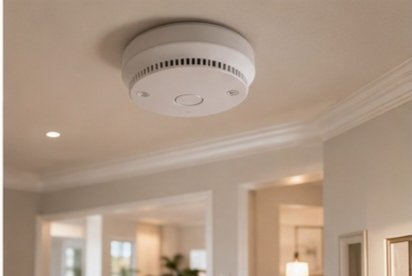
A smart smoke and carbon monoxide detector combines smoke detection and carbon monoxide detection with connected features such as phone notifications or integration with compatible home systems.
The most important job remains detecting these hazards and sounding an alarm. Smart notifications are an additional feature, not a substitute for a functioning local alarm.
Why Timely Alerts Matter?
A connected notification can be useful if you are in another room or away from home, because it may tell you that an alarm has been triggered. That can add useful awareness to a traditional alarm system.
Still, you should never depend exclusively on a phone notification. The physical alarm needs to be properly installed, powered, maintained, and tested.
Depending on the device, you may receive alerts through an app or another connected system. Some may also provide notifications about battery condition or other maintenance needs.
Placement and Maintenance
Placement should follow the manufacturer’s instructions and applicable local safety requirements. The U.S. Consumer Product Safety Commission currently recommends smoke alarms on every level of a home, inside bedrooms, and outside sleeping areas; it recommends CO alarms on each level and outside sleeping areas.
Maintenance is just as important as installation. CPSC recommends testing smoke and CO alarms monthly and replacing batteries annually unless the unit uses sealed long-life batteries.
Check whether the detector uses replaceable batteries, sealed batteries, or mains power with battery backup. You should also understand how long the device is intended to remain in service and when the entire alarm needs replacement.
View Product: Check today’s price on Amazon
10. Smart Home Security Camera
What Does a Smart Security Camera Do?
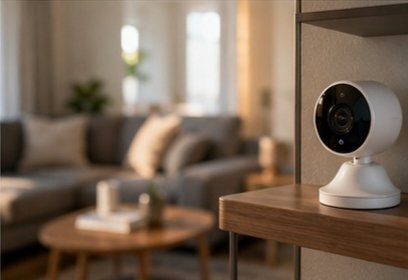
A smart home security camera allows you to monitor selected areas of your property using video. Depending on the design, you may receive motion alerts, view a live feed remotely, record video, or communicate using two-way audio.
The useful part is awareness. Instead of wondering what triggered a noise or whether something happened in a particular area, you may be able to check the camera remotely.
Indoor vs. Outdoor Use
Indoor and outdoor cameras have different requirements. An outdoor camera should be designed for the environmental conditions where it will be installed, while an indoor camera needs careful positioning to avoid unnecessarily recording private areas.
Think about the camera’s field of view before installation. A camera pointing at a wall is not very useful, but one pointed too broadly may capture areas you did not intend to monitor.
Motion Alerts and Remote Viewing
Motion detection can notify you when activity occurs within a selected area. Some systems may let you adjust detection zones or sensitivity, which can help reduce unwanted notifications.
Remote viewing is useful when you are away from home and want to check a particular area. However, connectivity affects these functions, so understand what continues to work if the internet connection is interrupted.
Privacy and Data Storage
Security cameras can collect sensitive information about your home and household routines. Before buying, determine whether video is stored locally, in the cloud, or through another method.
If cloud storage is involved, check whether a subscription is required for recording history or other features. Also look at account security and privacy controls.
The FTC advises users of connected cameras to change default credentials, use available security features, keep software updated, and check access logs when supported.
Features to Look For
Consider:
- Appropriate indoor or outdoor design
- Motion detection
- Adjustable detection zones
- Night visibility
- Remote viewing
- Two-way audio
- Local storage
- Cloud storage options
- Privacy controls
- Strong account security
View Product: Check today’s price on Amazon
A camera should monitor the area you actually care about without creating unnecessary privacy concerns elsewhere.
Before You Buy: A Practical Checklist
Compatibility
First, confirm that the device works with your existing equipment. This is especially important for smart thermostats, smart locks, bulbs, cameras, and devices intended to communicate with other smart products.
If you already have a preferred smart-home ecosystem, check compatibility before purchasing. Avoid assuming that devices from different systems will automatically work together.
Wi-Fi Requirements
Find out whether the device needs Wi-Fi and whether it operates on a particular wireless band or network configuration.
Also consider signal strength. A smart device installed at the far end of a house, in a garage, or behind thick walls may have connectivity challenges that are not obvious at first.
Some products connect directly to your phone or home network. Others may require a dedicated hub.
Battery or Power Requirements
A battery-powered product needs accessible batteries and a sensible replacement routine. Wired products need an appropriate power source.
For safety-related equipment, also understand how the product behaves if power or internet connectivity fails. A smart feature should add convenience without making the basic function unnecessarily dependent on a phone or cloud service.
Conclusion
The most useful smart home products are not necessarily the ones with the biggest feature lists. They are the ones that solve a problem you actually encounter and remain simple enough to use without constantly thinking about them.
Maybe your floors need frequent attention. Perhaps you regularly forget to switch off lights, want a more convenient way to manage the front door, or would simply appreciate an early warning if water appears beneath a sink. Those everyday frustrations are better starting points than trying to automate everything at once.
FAQs
1. Do all smart home products require Wi-Fi?
No. Connectivity varies by product. Some devices use Wi-Fi, while others may rely on Bluetooth, a hub, or another wireless communication method. Some features may work locally while remote controls and notifications require an internet connection.
2. Are smart home devices difficult to install?
It depends on the product. A smart plug or bulb may require very little setup, while a smart lock or thermostat can involve more complicated installation. Devices involving electrical wiring, heating systems, or structural changes may be better handled by a qualified professional.
3. Can smart home products work together?
Some can, but compatibility should never be assumed. Devices may use different apps, communication technologies, or smart-home platforms. Before buying several products, check whether they can work with the system you already use.
4. How can I keep smart home devices secure?
Start with your home network and device accounts. Use unique passwords, enable two-factor authentication when available, keep device firmware and apps updated, and disable features you do not need. These are among the security practices recommended by the FTC for connected home devices.
5. What smart home product should I buy first?
Start with a recurring household problem rather than a particular gadget. If cleaning is the issue, an automated cleaner may make sense; if lighting is annoying to manage, smart bulbs may be more useful. The best first purchase is the one that solves a real problem while remaining easy for everyone in the household to use.


Affiliate Disclosure
Home Setup Post is a participate in the Amazon Service LLC Associate Program. As an Amazon Associate, Home Setup Post earns from qualifying purchases by linking to Amazon.com.
© 2026 – Home Setup